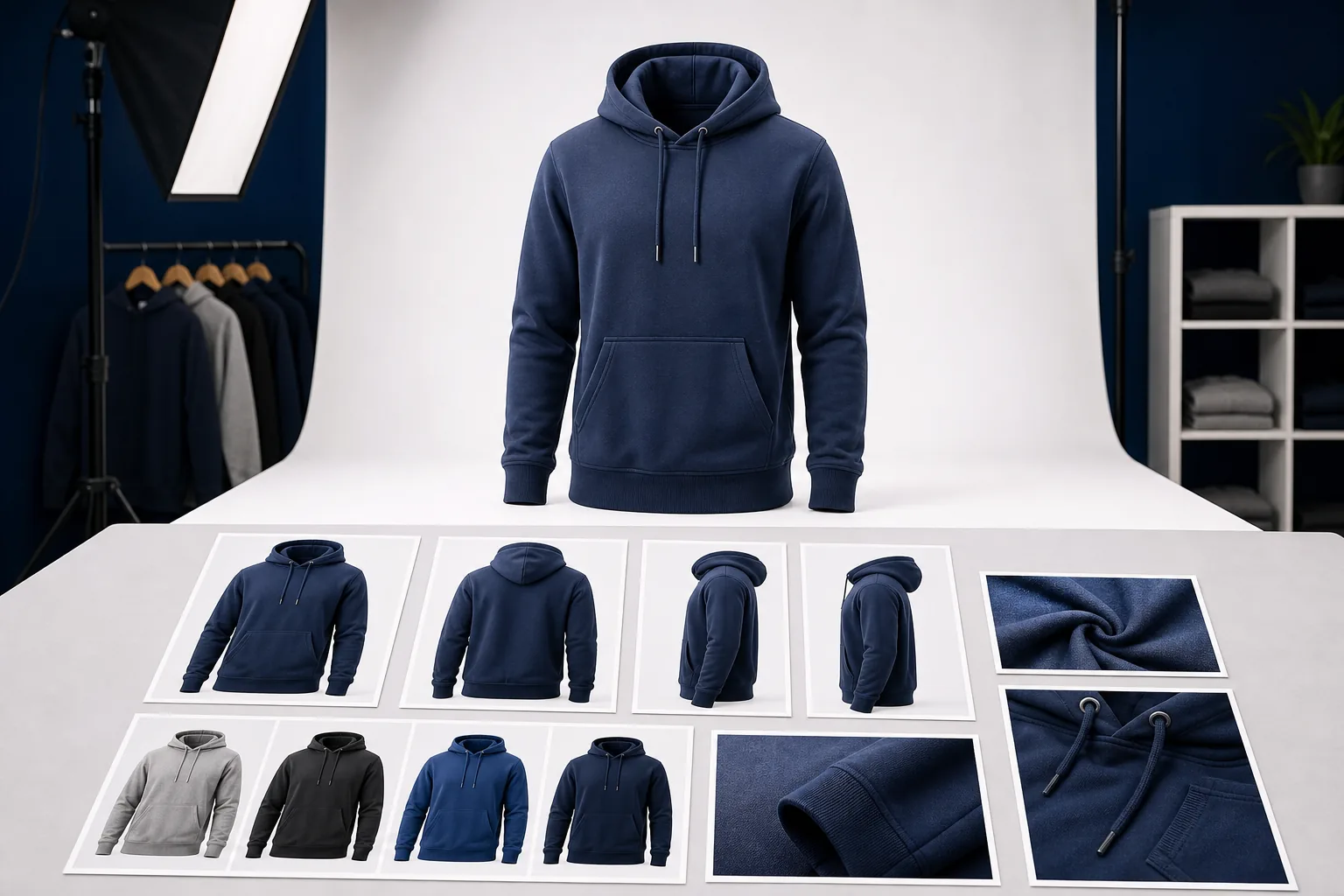
Amazon apparel photography should help shoppers understand fit, construction, fabric texture and color before they decide to buy.
Strong apparel images are one of the biggest conversion factors for Amazon sellers. Customers cannot touch the garment, check fabric weight or inspect construction in person, so the image set must answer those questions visually.
This guide is written for Amazon sellers, private label clothing brands and ecommerce teams that need listing-ready apparel visuals. Always confirm the latest Amazon category rules inside Seller Central before uploading, because marketplace requirements can change.
Core image set for apparel listings
- Main white background image: clean product-focused image with the garment clearly visible.
- Front view: shows silhouette, fit, seams and primary design details.
- Back view: helps shoppers understand shape, length and construction.
- Side or angled view: useful for jackets, hoodies, pants, dresses and structured pieces.
- Detail images: fabric texture, zipper, pocket, collar, waistband, drawcord, print, embroidery or stitching.
- Variation images: separate colorways or material options shown consistently.
- Lifestyle image: shows the garment in a realistic context while keeping the product easy to inspect.
- Size or fit guide visual: useful when sizing is a major customer concern.
What makes an apparel image Amazon-ready?
An apparel image should be sharp, correctly lit, color-accurate and easy to understand on mobile. The garment should not look distorted, over-retouched or artificially different from the delivered product. Shadows should feel natural. White background images should look clean, and color variations should remain consistent across the full image set.
Common image mistakes
- Low-resolution product images that become soft on zoom
- Colorways photographed with different lighting and background tone
- Missing back, side or detail views
- Wrinkles or poor garment shaping that make the product feel cheap
- Overly stylized lifestyle images that hide product details
- Inconsistent cropping across color variations
- Images that look good on desktop but unclear on mobile
How virtual product photography can help
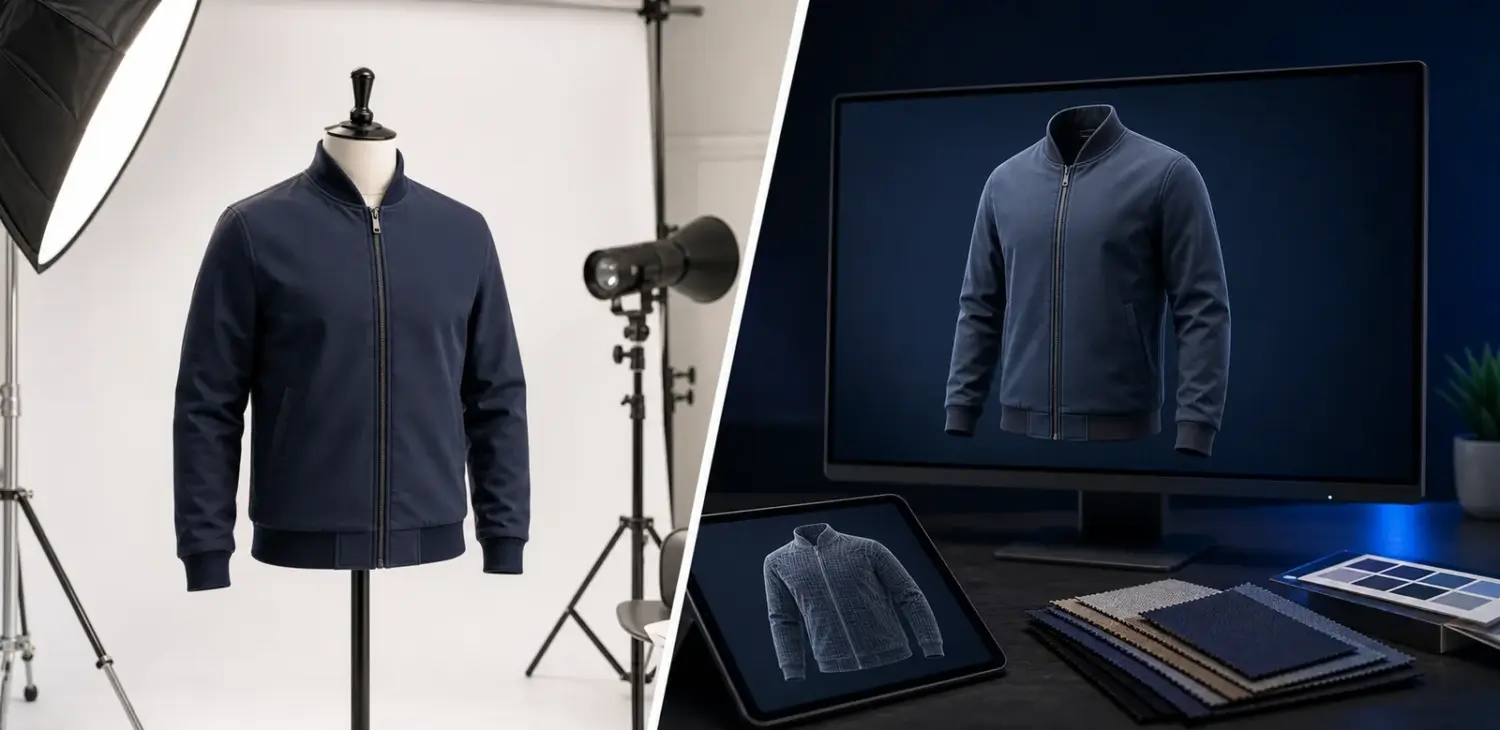
Virtual apparel photography can create consistent product images without a traditional photoshoot. A 3D garment can be developed, rendered on a white background, exported in front/back/side views, adjusted for color variations, enhanced with AI where appropriate and manually retouched for professional ecommerce quality.
Pre-upload quality checklist
- Check image clarity on mobile and desktop.
- Confirm garment color matches the real product or approved sample.
- Use consistent crop and scale across variations.
- Include enough angles to reduce buyer uncertainty.
- Show fabric texture and key construction details.
- Keep main product imagery clean and shopper-focused.
BinaryCloth provides Amazon and Shopify virtual product photography for apparel, including white background images, lifestyle-style renders, front/back/side views, variation images and manual retouching for ecommerce use.
FAQ: Amazon apparel listing images
Do all apparel images need a white background?
The main product image usually needs to follow stricter marketplace rules than secondary images. Secondary images can often include additional context, lifestyle use, closeups and comparison visuals, but sellers should always verify the latest category rules inside Seller Central.
How many images should an apparel listing include?
Use enough images to answer buyer questions: front, back, side or angle, texture, construction details, fit or size guidance, and color variations. More images are useful only when they reduce uncertainty and support the purchase decision.
Can 3D renders be used for Amazon apparel products?
Many brands use rendered or virtually produced images for ecommerce workflows, but the image should accurately represent the product being sold. The key is truthful product presentation, consistent color and marketplace-compliant final output.
Image planning checklist for apparel sellers
Plan the image set before producing the garment visuals. A strong apparel listing usually needs a clean main image, front and back views, detail crops, fit or scale context, fabric close-ups and variation images for color or style differences. Each image should answer a buyer question that the title or bullet points cannot answer alone.
Amazon sellers should also review Amazon’s current image guidance in Seller Central or Amazon’s official product photography resources before upload, because marketplace requirements can change by category and region. For 3D or virtual product photography, keep the render natural: realistic fabric thickness, believable shadows, accurate color and no over-polished plastic surfaces.
Related internal reading: 3D apparel mockup vs traditional photoshoot.
For marketplace sellers, always compare your final image set against the latest Amazon guidance before publishing. Amazon’s own product photography resources at sell.amazon.com are a practical starting point, alongside the requirements visible inside Seller Central for your exact category.